MapTrip FollowMe GPS App for Waste Management
MapTrip FollowMe is the GPS app for waste management, street cleaning, winter road maintenance and all those who drive complex routes. With our navigation software, even changing drivers can reliably cover their routes. Try MapTrip FollowMe 14 days free of charge and without obligation!
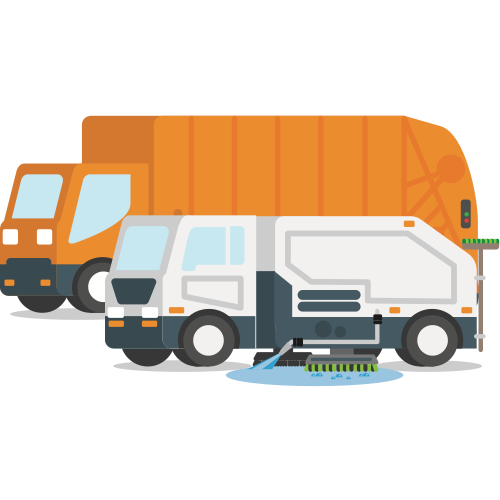
GPS App for Waste Management - any driver can drive any tour immediately
MapTrip FollowMe is a GPS software for waste management with which anyone can drive any route even without local knowledge. Just as a FollowMe vehicle guides an airplane at the airport, MapTrip guides your vehicles even on extremely complex routes.
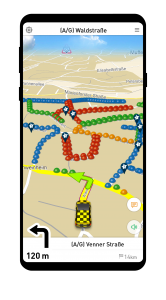
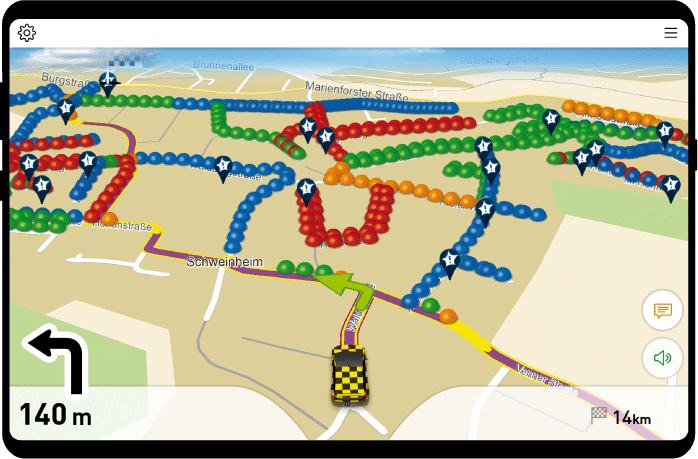
The navigation guides along the route with familiar instructions such as "Turn left" and "Turn right". When a performance section is reached, the navigation says "Collect left/right from here." Red dots mark a performance section on the left. Green marks the right side. Yellow sections mark transfer sections on which no performance is required.
Documentation and Tutorial

The full MTI documentation for developers can be found here. MTI is the abbreviation for MapTrip Interface. MTI is an easy-to-use Android interface that allows developers to control the MapTrip Truck GPS navigation app with just a few commands.

In our tutorial we will guide you step by step through the integration of the MapTrip Truck GPS navigation interface into your own application. After completing the tutorial, you will be able to integrate MapTrip GPS Navigation into your own Android app.

In this YouTube video we show you how to integrate our GPS navigation. On our YouTube Channel you will find numerous videos on development topics.

On Github you can find useful hints and examples.
How does MapTrip FollowMe work?

Mit dem Laden des Videos akzeptieren Sie die Datenschutzerklärung von YouTube.
Mehr erfahren
How to create a FollowMe route
Upload your GPS track
If you already have a file of the track you would like to drive, you can just upload it in the FollowMe Editor.
Record it while driving
You can use MapTrip to record a track while driving.
Create it in the Editor
In our online FollowMe-Editor you can simply click on a map to create your track.
MapTrip FollowMe right for me if...
- If a specific route has to be followed on which certain services have to be performed (e.g. emptying garbage cans, spreading salt or cleaning a street).
- If your route should contain loops. This means that a road must be traveled several times. This is not possible with normal navigation software.
- If you want to insert additional announcements in the route at certain places. This could be, for example, an announcement like "Watch out, biting dog!" or "Container is behind the hedge."
Can MapTrip FollowMe also do normal navigation?
Yes, MapTrip FollowMe can also be used like a normal truck GPS.
- You can enter a destination normally and be navigated.
- When you call a FollowMe tour in the depot, MapTrip will guide you normally to the beginning of the tour.
- During a collection tour, your drivers can be navigated normally to the landfill. Afterwards MapTrip guides them back to the last point of the tour.
What about new construction areas? These are often not included in the maps.
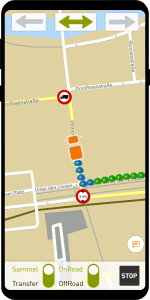
Highways and other important roads are actually always very up-to-date. But new residential areas often don't show up on the maps for months. This is true for all quality data providers in the market. Since waste management has to perform regardless of map coverage, we have developed a solution. MapTrip's offroad feature allows you to record routes that are off all recorded road maps.
However, you can also use the offroad function for many other exciting use cases, such as for
Try MapTrip FollowMe GPS App for Waste Management one month for free
Download our GPS App for Waste Management now and try it yourself . The free trial verion has all the features including the online FollowMe-Editor. Try it now! We will be happy to help if you have any questions.
Videos about FollowMe
In our YouTube channel we have compiled a series of videos about FollowMe. They explain the basic functionality of the navigation and the FollowMe Editor. In addition, special issues like creating routes or synchronization between server and navi are explained.
Mit dem Laden des Videos akzeptieren Sie die Datenschutzerklärung von YouTube.
Mehr erfahren
Create And Edit Routes
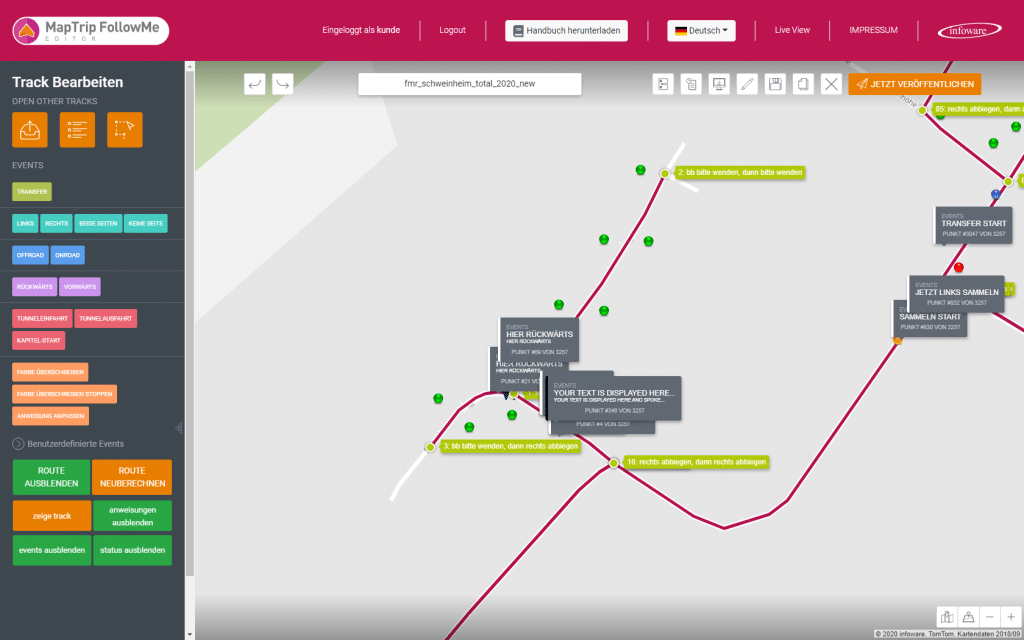
With FollowMe-Editor you can create, post-process and organize tours. You simply load the application in your internet browser and with a few clicks you can, for example, create a tour and distribute it to your MapTrip devices.
Live Tracking
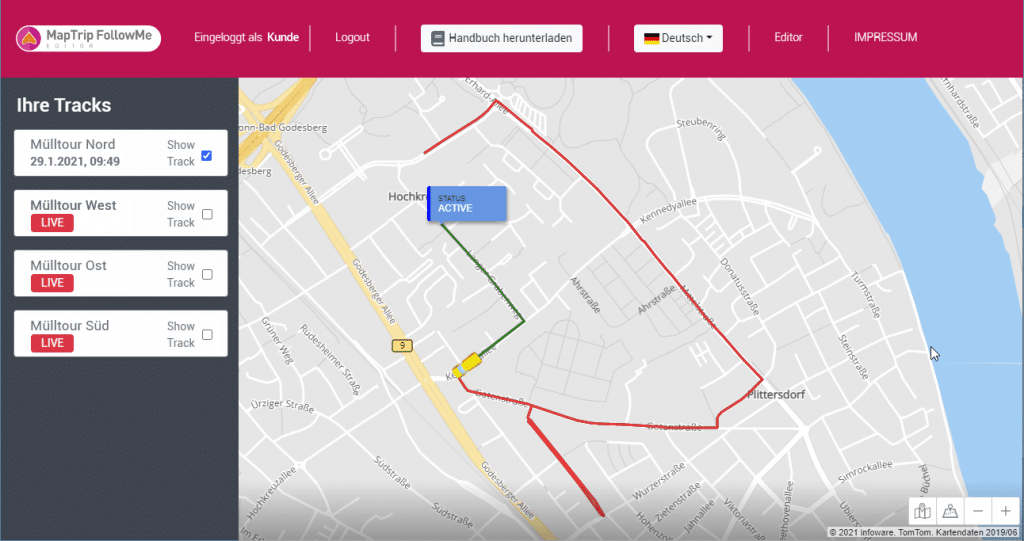
With the Live View feature of the FollowMe-Editor you can watch your vehicles at work in real time. Sections of the route that have already been driven are highlighted in color so that you have a direct overview.
Which other industries can use FollowMe?
The requirements for winter road maintenance and street cleaning are similar to those for waste management. Here, too, very complex routes have to be covered and there are service sections that have to be cleared or cleaned. And there are transfer routes which represent the connection to the next service section.
At Leipzig-Halle Airport, the navigation software MapTrip FollowMe is used for winter services. In the video, René Kirsten, head of winter services, reports on his experiences.
Mit dem Laden des Videos akzeptieren Sie die Datenschutzerklärung von YouTube.
Mehr erfahren
Add your own announcements to the route
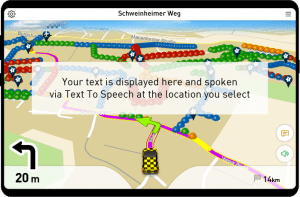
Every route has its tricky spots. Whether it's a low-hanging branch that gets in the way, a dead end with no room to turn, or other tricks that only the experienced rider knows. Add an event to your route to capture this knowledge and make it available to every driver. MapTrip FollowMe reads it out loud and displays it on the screen.
I am a Developer. Are there Interfaces?
Yes, when developing MapTrip FollowMe we had both the trash collector and the developer in mind. In order to give you complete access to the technology there are interfaces on different levels.

On the app level
- you can use Android intents to invoke a FollowMe route. To do so, visit our GitHub page and watch this video.
- To control MapTrip FollowMe through another app, you should use MapTrip's MTI interface. You can find the documentation here.
- If you want to build your own FollowMe navigation, you can use our MapTrip SDK. This way you have all the freedom you need. You can find a sample application built with the SDK on GitHub.
On the server side you have the choice between a
- http interface
- and the FollowMe functions of our MapAPI
What our customers say
"MapTrip FollowMe is very helpful for us with changing drivers. You don't have to worry about a driver being sick anymore. All tours and information are stored on the tablet and with MapTrip FollowMe the replacement driver is ready to go right away, even if he doesn't know the tour."
"We find the Remark function and the Live View very helpful and important with MapTrip FollowMe. So dispatchers are always informed about the status of the tour and get feedback from drivers."
You can also read our testimonial from EGN Entsorgungsgesellschaft Niederrhein mbH here.
Do you have any questions? Would you like to learn more about MapTrip FollowMe?
My name is Adriana Busch and I will be happy to advise you! Book an appointment for a web meeting here or send me a message at busch@infoware.de.